

- Real-time plugins for Adobe Creative Suite & Microsoft Office Suite
- Streamlined licensing process
- Integrating non-public APIs
- Market differentiation for Shutterstock
Painting the picture.
As the demand for visual storytelling continued to surge, Shutterstock recognised an opportunity to simplify the workflows of creative professionals worldwide. To address this need, Shutterstock sought to create two innovative plugins that would seamlessly integrate into Adobe Creative Suite and Microsoft Office. These plugins aimed to empower creatives by enabling them to search, edit, and purchase media directly from within their preferred applications.

Shutterstock, a renowned provider of stock imagery and video content, serves over half a million subscribers, including influential media outlets and global brands. Creative professionals rely on Shutterstock’s vast media libraries for various purposes, such as video production, website content creation, news articles, sales presentations, and more. However, they often find themselves juggling multiple platforms and software applications in their daily work.
With the increasing demand for visual storytelling, brands require diverse media portfolios. Creative tools like Adobe Creative Suite have become essential, prompting users to seek ways to optimise their workflows. Recognising these challenges, Shutterstock embarked on a journey to enhance the user experience by developing powerful plugins for Microsoft Office and Adobe Creative Suite. These plugins aimed to eliminate the need for constant application switching, providing users with a seamless in-app experience. To achieve this goal, Shutterstock partnered with UIC Digital for its expertise in app development and innovation.
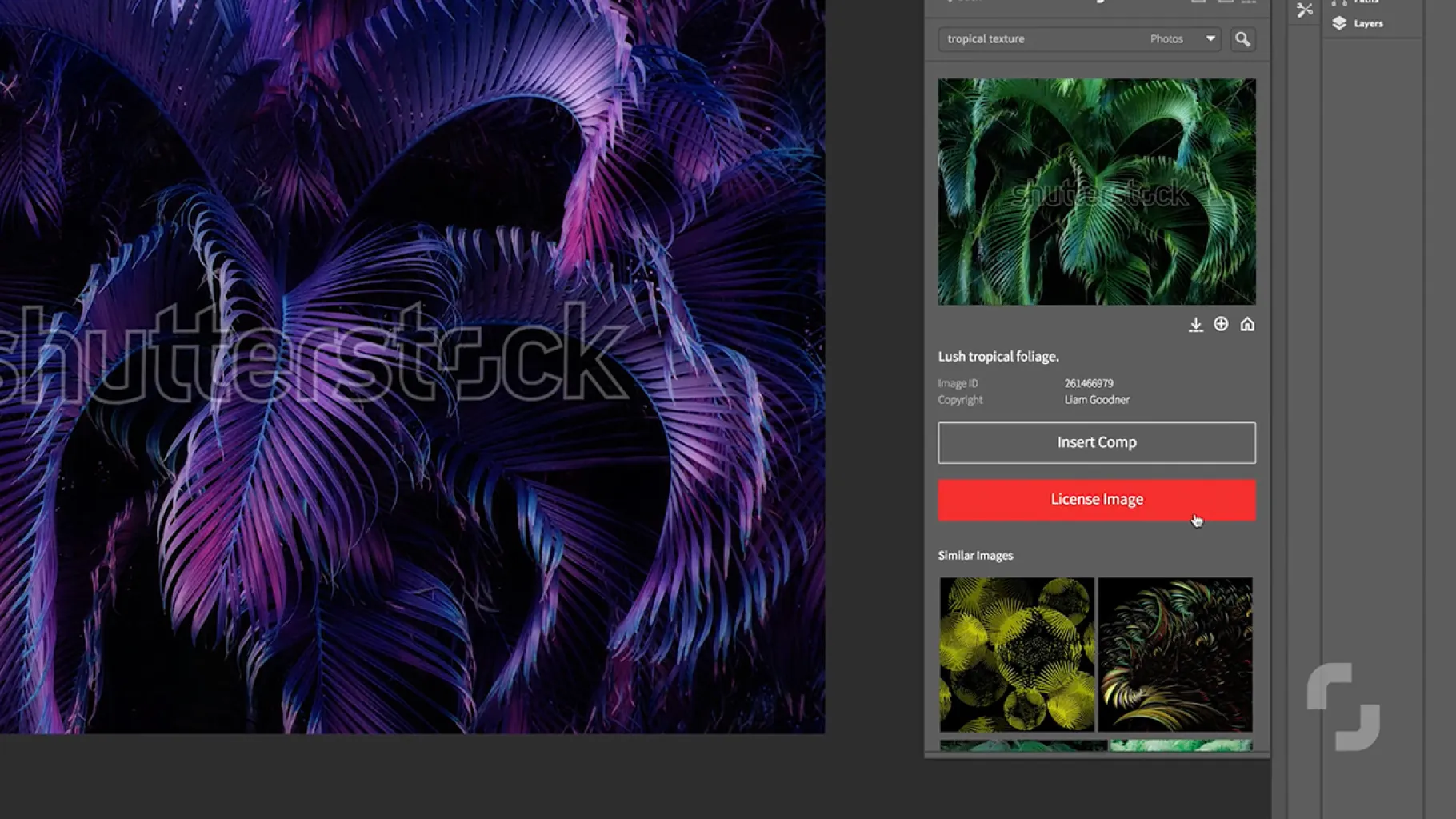
Bringing visual storytelling to life in real-time.
The project’s foundation was rooted in user-centred design principles. A deep understanding of user needs allowed the team to create plugins that seamlessly integrated into the workflows of presenters, designers, journalists, and creative professionals across devices, screen sizes, and software versions. This responsive design was extended to allow users to resize the plugin window within the application, ensuring a smooth experience.
Maintaining the aesthetic coherence with Adobe Creative Suite and Microsoft Office was paramount. The team worked diligently to align the plugin interfaces with the look and feel of these applications while preserving Shutterstock’s branding. Additionally, they focused on optimising load times to provide users with the best possible experience.
Collaboration with Shutterstock was constant and critical. The technical teams collaborated closely to integrate the plugins with Shutterstock’s internal APIs, ensuring real-time access to its extensive content library. An ongoing feedback loop facilitated addressing challenges and iterating on design and functionality.

A blend of technological expertise.
Integrating Shutterstock’s internal APIs with those of Adobe Creative Suite and Microsoft Office presented unique challenges. The technical insights necessary for this integration were not documented externally and resided solely within Shutterstock’s internal team. Navigating this complexity required a close partnership and creative problem-solving. It also involved exploring innovative ways to work within the limitations of each application’s APIs, adding functionalities like real-time previews and seamless licensing.
In the absence of comprehensive documentation, the team relied on experimentation, reverse engineering, and continuous collaboration with all stakeholders. Successfully bringing these applications together demanded an in-depth understanding of each API’s capabilities, limitations, and compatibilities, which the UIC Digital team rapidly acquired. Their ability to adapt and swiftly gain expertise in new technical solutions was a hallmark of their approach.
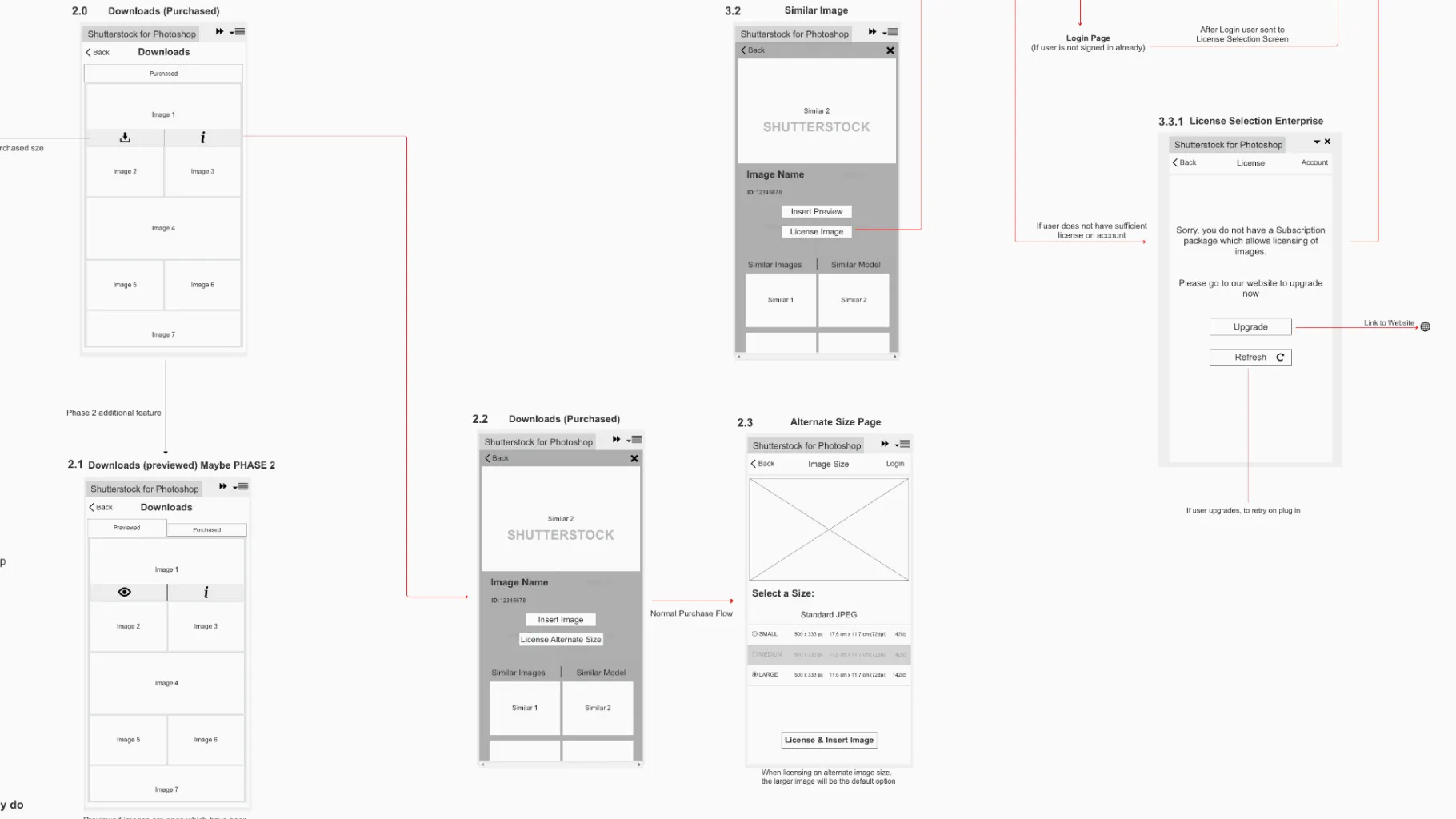
Unrivalled creative efficiency.
The result of this collaborative effort was the launch of two cutting-edge Shutterstock plugins for Adobe Creative Suite and Microsoft Office. These plugins seamlessly accessed Shutterstock’s extensive content library, enabling creative professionals to streamline their workflows by searching, previewing, editing, and licensing media directly within their preferred applications. This innovation set Shutterstock apart from its competitors, delivering a service that significantly enhanced the efficiency of creative professionals.
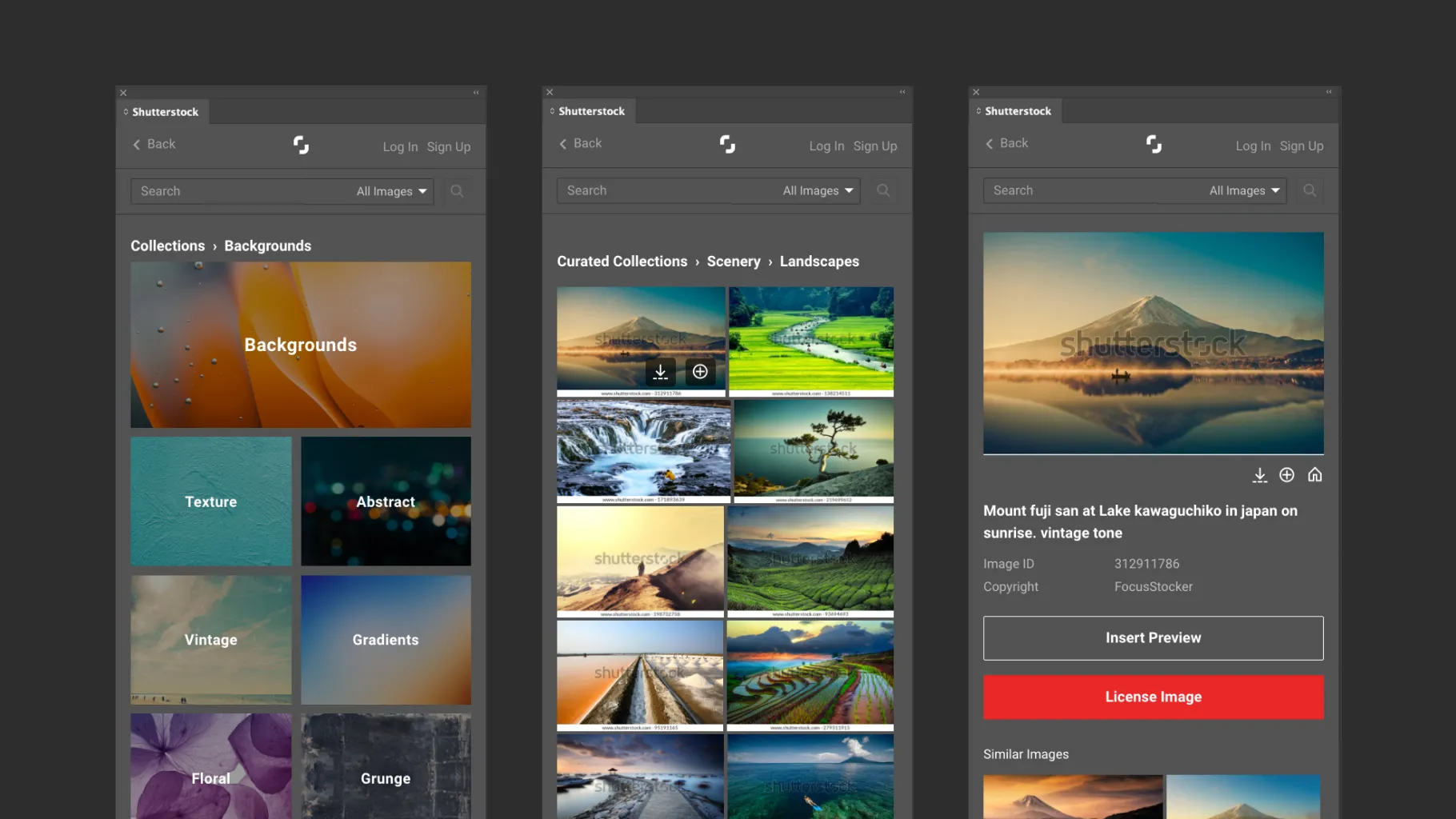

It starts with two days.
Enough to know what to build first, and what it will cost.